Paper Games
Printable Battle Map Grid
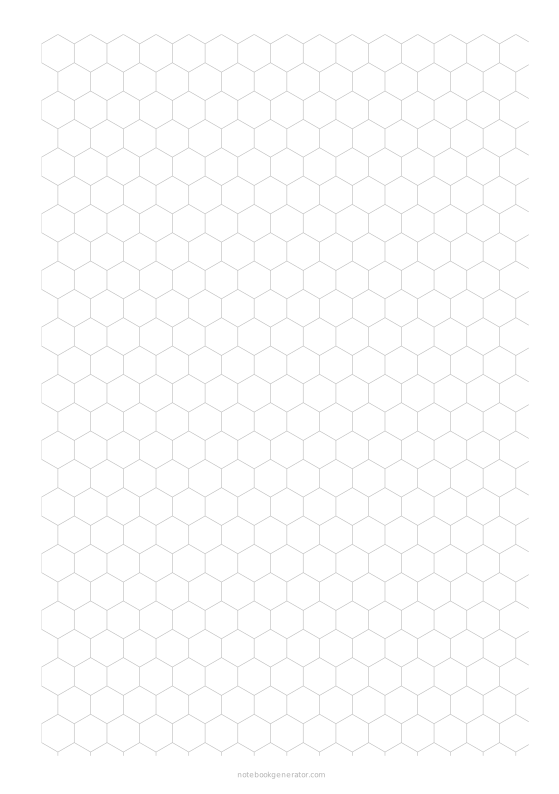
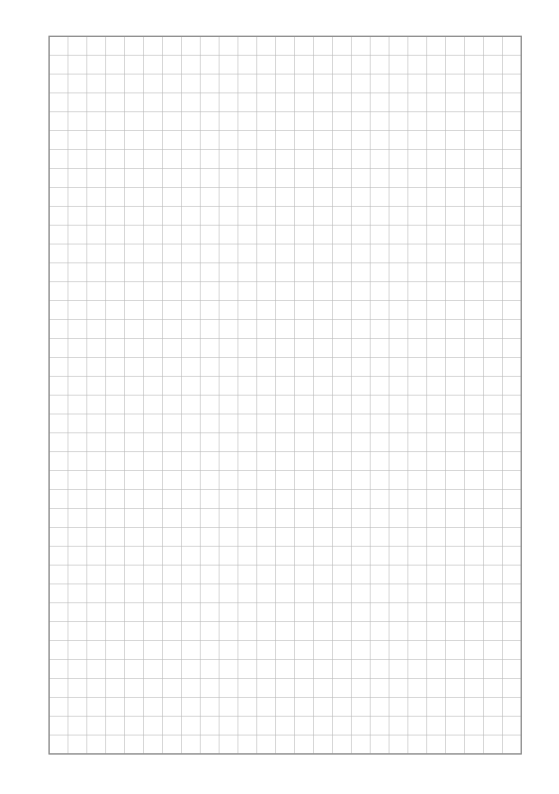
A full-page grid for tabletop miniatures: one-inch squares or hexes with coordinates, ready for dungeons, taverns and battlefields.
What you can customize
- Grid
- Square size
- Coordinates
Works well in
- Traveler's Notebook Passport
- A6
- Traveler's Notebook Regular
- B6 (JIS)
- A5
- US Half Letter
- B5 (ISO)
- A4
- US Letter
All page sizes, from Passport to A4
Try it in another style
Start from a preset
- 1-inch squares, US Letter Standard miniature scale. Open in the maker →
- 1-inch squares, A4 The same on A4. Open in the maker →
- 1-inch hexes, A4 Hex grid for wargames. Open in the maker →
- Dungeon map, 10 mm, A4 Small squares for planning a whole dungeon. Open in the maker →
Squares or hexes
Choose a square or hex grid and a cell size from 10 to 30 mm; 25.4 mm is the standard one-inch scale for miniatures. Coordinates along the edges help players call positions.
Printing tips
Print at 100% (Actual size) so one square is one inch. Laminate a sheet to draw on it with dry-erase markers again and again.
Free sample PDFs
Print at 100% (actual size). Made with the same engine as the maker, so the spacing is exact.
Frequently asked questions
Does the grid print at exactly one inch?
Yes, if you print at 100% (actual size). Check with a ruler and use the printer calibration guide if your printer scales.
Can I tile sheets into a bigger map?
Yes. Turn coordinates off, trim the margins and tape sheets together.
Related guides
- How to print a booklet double-sidedPrint your notebook PDF at actual size, choose the right duplex setting, and get pages that come out in the right order after folding.
- Calibrate your printer for exact sizesMeasure your printer once so pages print at exactly the right size, find its unprintable margins, and line up the front and back of each sheet.
- Paper sizes, margins and binding allowanceWhich printer paper fits which notebook size, how to set margins and the binding margin, and when to use bleed and creep.