Square Grid
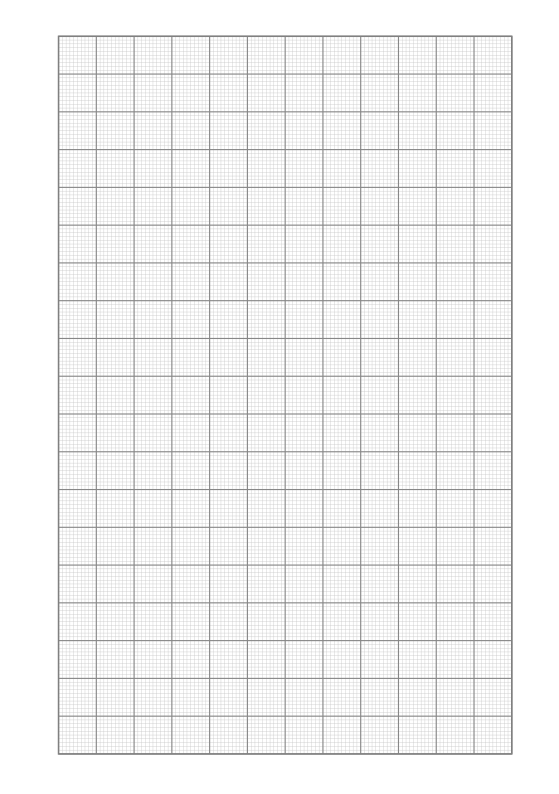
B5 Grid Paper with Date and Title Line (5 mm)
B5 is the standard size of Japanese school notebooks and loose-leaf paper, a little smaller than US Letter. This page fills it with a 5 mm grid and adds a title and date line across the top, so your notes are easy to find later.
- Page size
- 7.165 × 10.118 in182 × 257 mm
Start from a preset
- B5 grid paper, 5 mm, date line, 30 pages One notebook's worth, printed on B5 paper. Open in the maker →
- B5 grid paper, 5 mm, date line and border, 30 pages A frame around the grid so no half squares show at the edges. Open in the maker →
- B5 grid paper, bold line every 1 cm, 30 pages A heavier line every 2 squares for graphs and diagrams. Open in the maker →
- Letter grid paper, 5 mm, date line, 30 pages The same page on US Letter if you don't have B5 paper. Open in the maker →
Making a B5 grid notebook
- Pick a preset above to open it in the maker.
- Click Download and choose Reading order for loose sheets, or Booklet for a folded notebook (a B5 booklet prints two pages per side on B4, A3 or Tabloid paper).
- Print at Actual size / 100% and check with a ruler that 10 squares measure 5 cm.
Free sample PDFs
Print at 100% (actual size). Made with the same engine as the maker, so the spacing is exact.
- B5 grid paper, 5 mm, date line (1 page) PDF ↓
Frequently asked questions
How big is B5 paper?
This is Japanese B5 (JIS), 182 × 257 mm or about 7.2 × 10.1 in, the size of most Japanese notebooks. ISO B5 (176 × 250 mm) is slightly smaller and is also available in the maker.
I don't have B5 paper. Can I print it on Letter or A4?
Yes. Choose Letter or A4 as the print paper when you download, and the B5 page prints at full size with a wider margin, ready to trim. Or use the Letter preset to fill the whole sheet.
Can I turn off the date and title line?
Yes. Switch off the date and title bar in the maker and the grid runs to the top of the page.
Related guides
- Paper sizes, margins and binding allowanceWhich printer paper fits which notebook size, how to set margins and the binding margin, and when to use bleed and creep.
- Cutting and trimming your notebookUse crop marks to cut printed sheets and trim folded booklets cleanly, with a craft knife, a paper trimmer or a guillotine.
- Paper sizes chart: A4, A5, B5 and Letter in mm and inchesA4, A5, A6, B5, US Letter, Half Letter and Legal in millimetres and inches, how A4 compares with Letter, and which size suits a journal, planner or school notebook.