5 min read
Cornell note-taking method: how to take Cornell notes
How the Cornell note-taking method works: the cue column, notes area and summary, the 5 Rs, an example page, review tips and a free printable Cornell notes template.
On this page
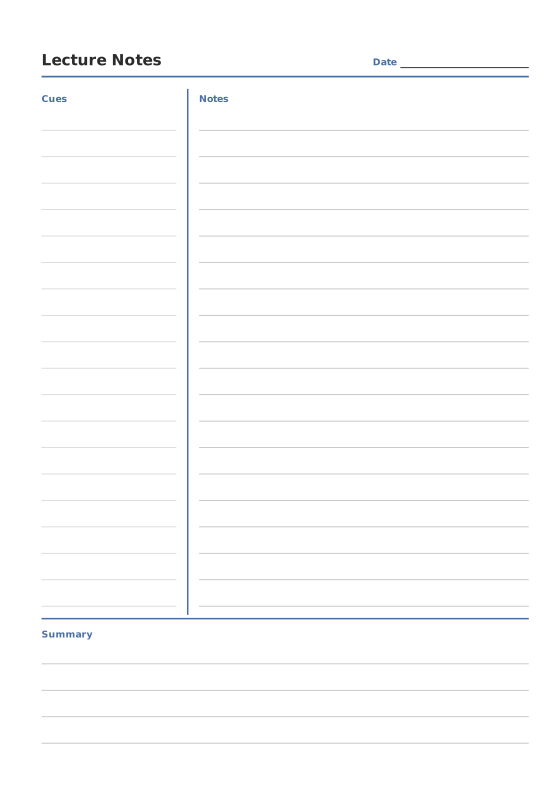
The Cornell note-taking method divides each page into three parts: a narrow cue column on the left, a wide notes area on the right and a summary box at the bottom. You take notes in the right-hand area during class, add questions and keywords to the cue column afterwards, and sum up the page in a few sentences at the bottom. Revision then becomes a quick self-test: cover the notes and answer the questions in the cue column.
Where the Cornell method comes from
The system was developed in the 1950s by Walter Pauk, an education professor at Cornell University, and described in his book How to Study in College. It has been used by students ever since because it needs nothing more than a ruled page with two extra lines, and it builds revision into the way you take notes.
The Cornell page layout
| Area | Size on a Letter page | What goes there |
|---|---|---|
| Cue column (left) | About 2.5 in (6 cm) wide | Questions, keywords, names and formulas, added after class |
| Notes area (right) | About 6 in (15 cm) wide | Your notes from the lecture, lesson or reading |
| Summary (bottom) | About 2 in (5 cm) high | Two to four sentences in your own words |
On A4 paper the proportions are the same. The Cornell Notes template starts with the cue column at 30% of the page width and the summary at 20% of the height, and you can adjust both.
The 5 Rs of Cornell notes
Pauk’s method is often summed up as five steps:
- Record. During class, write the main ideas and facts in the notes area.
- Reduce (Question). As soon as possible afterwards, reduce your notes to keywords and questions in the cue column.
- Recite. Cover the notes area and answer each cue out loud, in your own words.
- Reflect. Think about how the material connects to what you already know. The summary box is a good place to capture this.
- Review. Spend a few minutes going over your cues regularly, not just the night before the exam.
How to take Cornell notes: before, during and after class
Before class. Write the course, date and topic in the header. If there is assigned reading, skim it so the lecture feels familiar. Start a new page for every lecture.
During class. Write only in the notes area. Use short phrases rather than full sentences, abbreviations and symbols, and leave a gap when the topic changes. Mark anything you did not understand with a question mark so you can ask about it later.
After class. Ideally on the same day, and within 24 hours:
- Read through your notes and fix anything unclear.
- Write a question or keyword in the cue column next to each chunk of notes.
- Write the summary at the bottom of the page.
- Cover the notes and test yourself with the cues.
Then review all of the week’s pages once at the end of the week.
Example: a biology lecture on photosynthesis
| Cue column | Notes area |
|---|---|
| What goes in, what comes out? | CO₂ + water + light energy → glucose + O₂ |
| Where does it happen? | In chloroplasts; chlorophyll absorbs mainly red and blue light |
| What are the two stages? | Light-dependent reactions (thylakoid membranes) make ATP and NADPH; the Calvin cycle (stroma) uses them to fix CO₂ into sugar |
| Why are leaves green? | Chlorophyll reflects green light instead of absorbing it |
Summary: Plants use light energy in their chloroplasts to turn carbon dioxide and water into glucose and oxygen. The light reactions make ATP and NADPH, which the Calvin cycle uses to build sugar.
Tips for better Cornell notes
- Write questions, not just keywords. “Why are leaves green?” is a better review prompt than “chlorophyll”.
- Keep a list of abbreviations on the first page: → for “leads to”, ∴ for “therefore”, w/ for “with”.
- Summarise in your own words. If you cannot write the summary, you have found the part to ask about.
- Review early and often. A first review within 24 hours and a short review every week work better than one long session before the test.
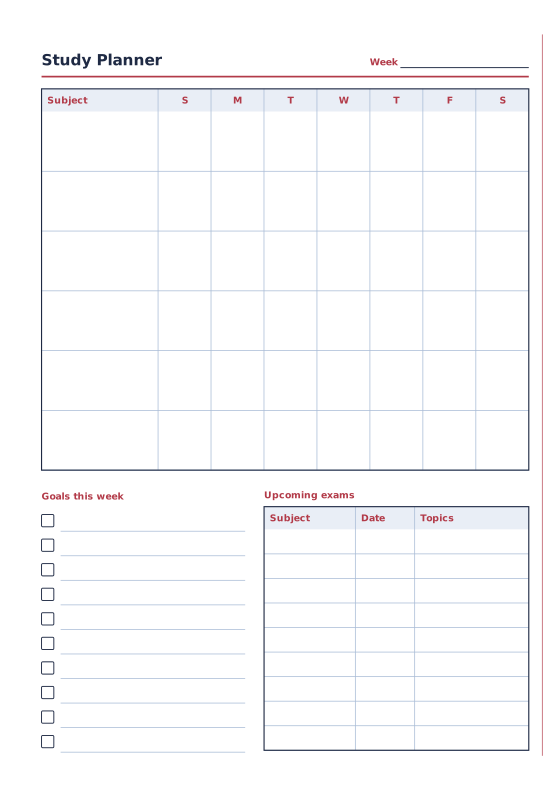
- Keep a study plan nearby. A Study Planner page at the front of the notebook keeps your exam dates and review sessions in view. The study schedule guide shows how to plan them.
Paper or digital? Both work. Writing by hand forces you to condense what you hear, and a paper notebook has no notifications. Digital notes are easier to search. Many students take Cornell notes on paper and keep their cue questions as flashcards.
Print a Cornell notebook
- Open Cornell Notes on A4 with 20 pages, or use US Letter.
- Adjust the Cue column width (%), Summary height (%) and Line spacing if you like. Type the course name in Title to print it on every page.
- For a ring binder: open Download PDF, choose Reading order or Single pages and print 10 to 30 pages. Punch the holes and file them by subject.
- For a bound notebook: change the page size to A5 or Half Letter and choose Print-ready booklet. It prints on A4 or Letter; fold the stack and staple it. For more than about 12 to 15 sheets, choose Signatures (sew) under Binding.
- Print at Actual size / 100% so the lines keep their spacing.
You can add Ruled Paper for essays and a study planner to the same notebook. To compare Cornell notes with other systems, read note-taking methods compared.
FAQ
What are the 5 Rs of Cornell notes?
Record, Reduce (or Question), Recite, Reflect and Review. You record during class, reduce your notes to cues afterwards, recite from the cues, reflect on the material and review regularly.
How wide is the cue column in Cornell notes?
The original layout uses about 2.5 inches (about 6 cm) on a Letter page, roughly a third of the width or a little less. The template lets you choose from 20% to 40%; wider columns suit language learning.
When should I write the Cornell summary?
On the same day as the class, ideally right after it and within 24 hours, while you still remember what the lecturer stressed.
Can I use Cornell notes for maths?
Yes. Put worked examples and steps in the notes area and the type of problem, the formula or “when do I use this?” in the cue column.
Featured templates
Start from a template, then change line spacing, dates, colors and layout options.